ACADEMIC PAPER TRANSLATOR

Translate academic papers without breaking two-column layouts or formulas

Upload a multi-column journal article or arXiv preprint to read a page-by-page bilingual translation beside the original. Palingo protects inline math, fixes LaTeX PDF spacing, splits reference entries, and extracts consistent terminology across pages.
  • Preserves two-column layouts, inline and display formulas, tables, and footnotes
  • Extracts key terms for consistency and splits bracketed reference lists cleanly
  • Streams early pages fast, runs per-page OCR on scans, and exports bilingual or translated PDFs

Translate a PDF now

Translate a PDF now

Drop a PDF file here

Up to 100 MB, up to 100 pages with an account · scanned pages use OCR

Your PDF is uploaded to Palingo to be translated. You can download the translated files for 24 hours after upload.

Layout & Math
2-column layout, formulas & citations kept
File Size & Length
Up to 100 MB · 100 pages free (Pro 1,000, Ultra unlimited)
Free Allowance
10 PDFs/24h guest (first 20 pp.) · 3M credits/30d free account
Privacy & Languages
Deleted after 24h · 5 source, 5 target languages

Need bigger files? Pro translates up to 1,000 pages per PDF, and Ultra has no page limit. See plans →

Real side-by-side screenshots from Palingo’s PDF reader

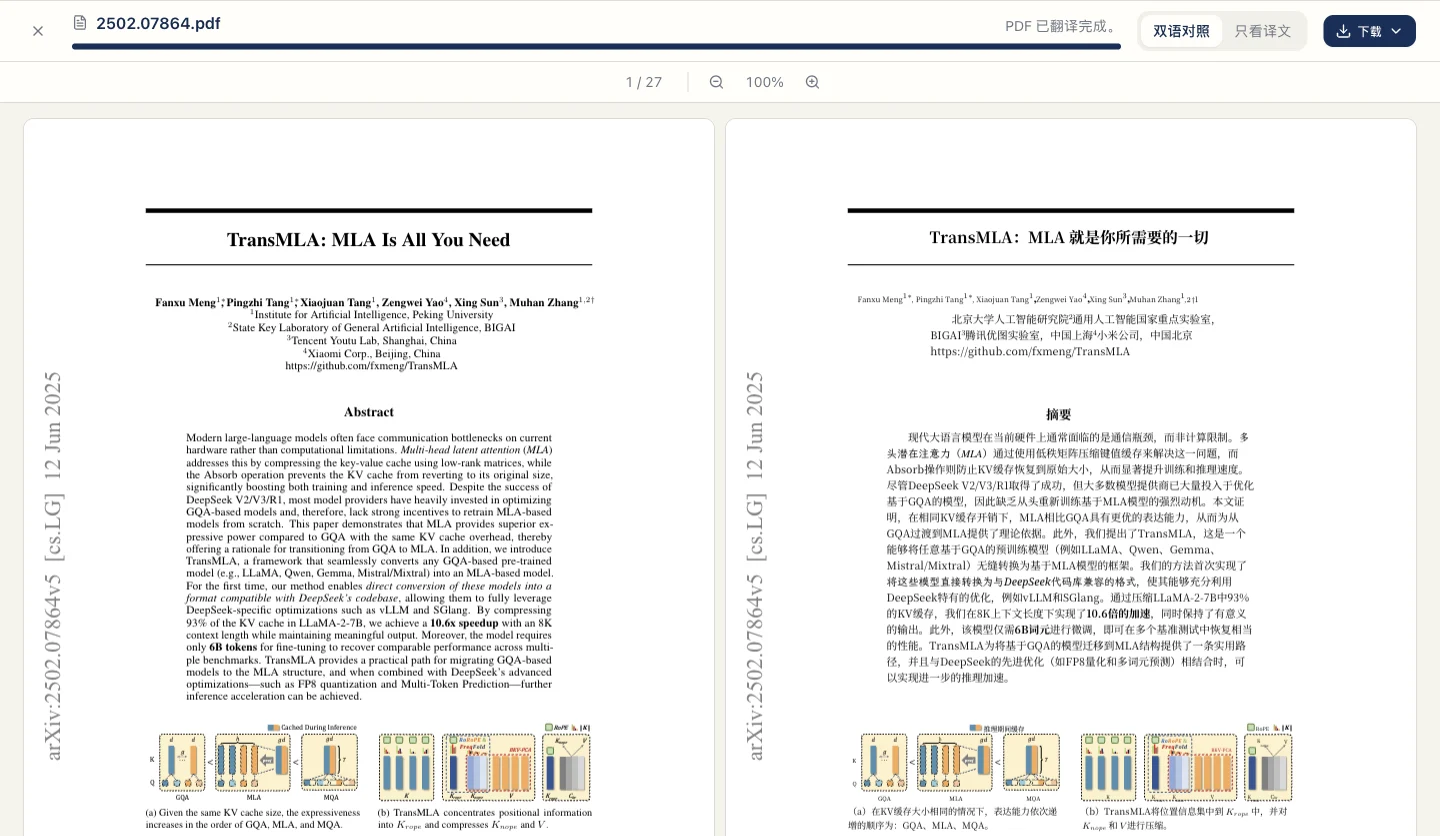
Inspect unedited captures of published arXiv and journal PDFs: multi-line equations, two-column preprints, diagrams, and reference lists.

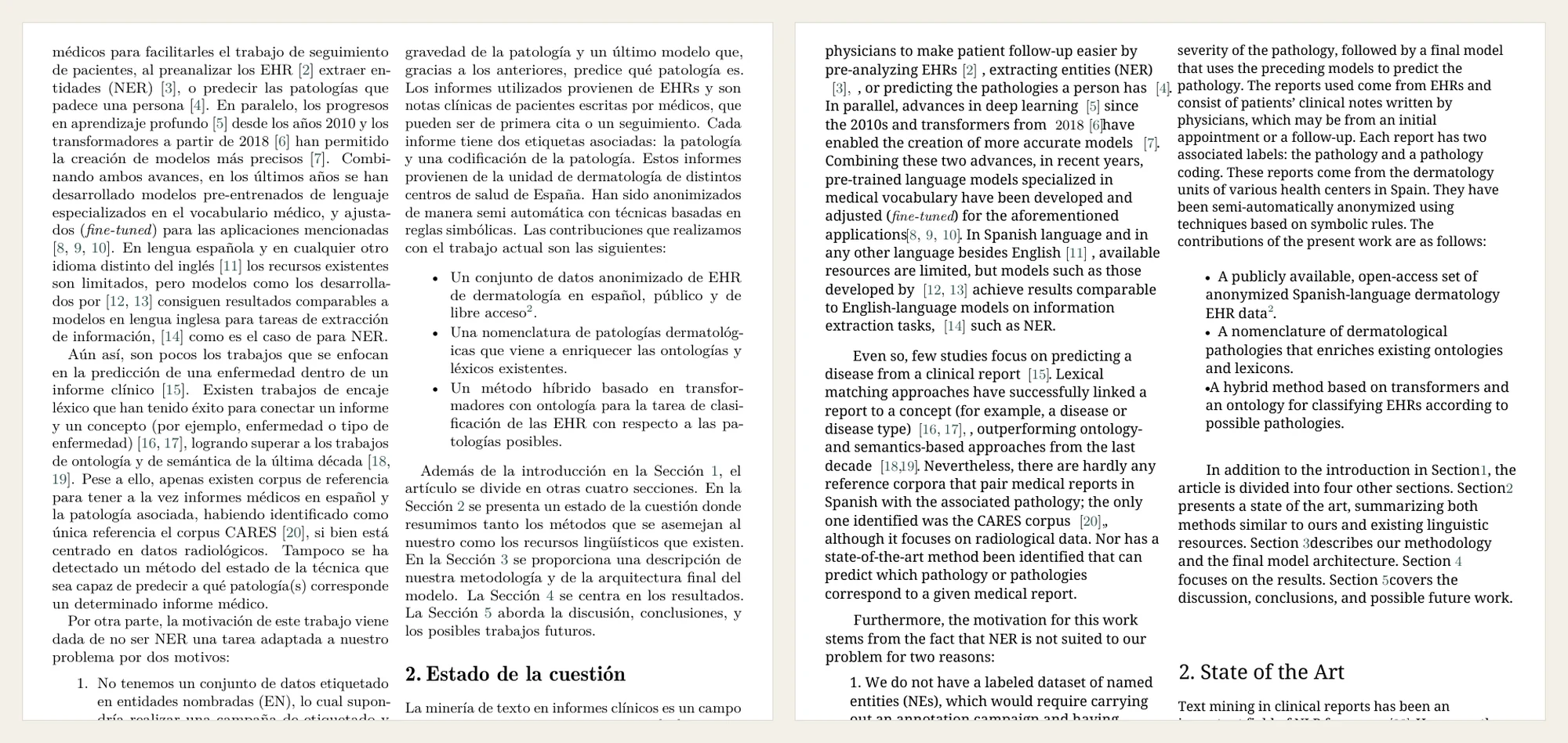
Spanish Clinical NLP Research Paper (p. 2)

Español → English

Choose PDF
Two-column layout — Spanish Clinical NLP Research Paper (p. 2)

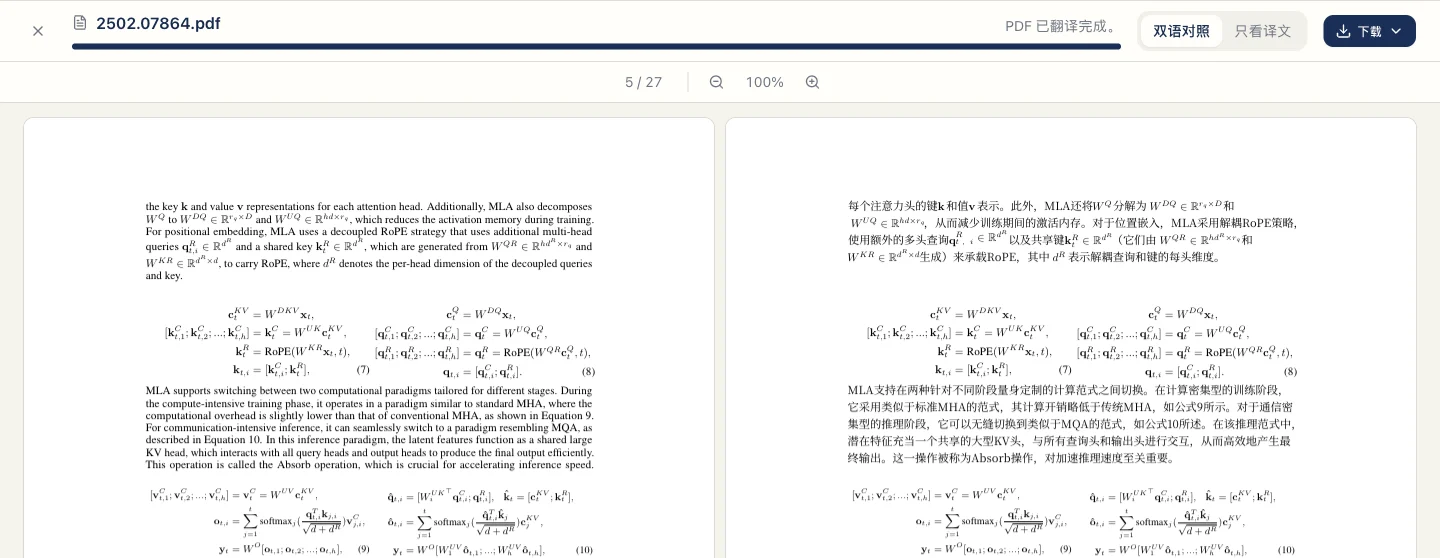
Real screenshots captured from Palingo’s cloud PDF reader on published open-access papers (TransMLA arXiv:2502.07864, LLaMA arXiv:2302.13971, and Spanish clinical NLP paper).

Built for real academic PDFs, not plain-text copy-paste

Research PDFs generated by LaTeX and journal publishers break generic translators. Palingo adds dedicated layout, math, spacing, reference, and terminology passes to its PDF pipeline.

TWO-COLUMN LAYOUT

Keeps multi-column prose and footnote boundaries intact

Document layout analysis separates body columns, headings, abstracts, captions, tables, and footnotes so two-column text never interleaves. Undersized layout boxes are widened to prevent clipped left-margin letters, and stray inline margin markers are stripped so footnotes stay on one clean line.
FORMULAS & NUMBERS

Protects inline math, fractions, and numeric table cells

Detached formula fragments—such as subscripts, fraction bars, and inline variables—are absorbed back into their parent formula unit so equations never paint over translated prose. Pure numbers, units, and scientific notation (such as 3.3 × 10^18) are skipped untouched.

LATEX PDF SPACING

Restores word spacing and clean line wraps in LaTeX PDFs

LaTeX PDFs often strip explicit space characters around inline citations and hyperlinks, causing generic tools to glue tokens together (like Petersetal.) or split English words mid-word. Palingo measures glyph gaps to restore missing spaces and wraps lines at word boundaries.

REFERENCES & CITATIONS

Splits dense bibliography blocks entry by entry

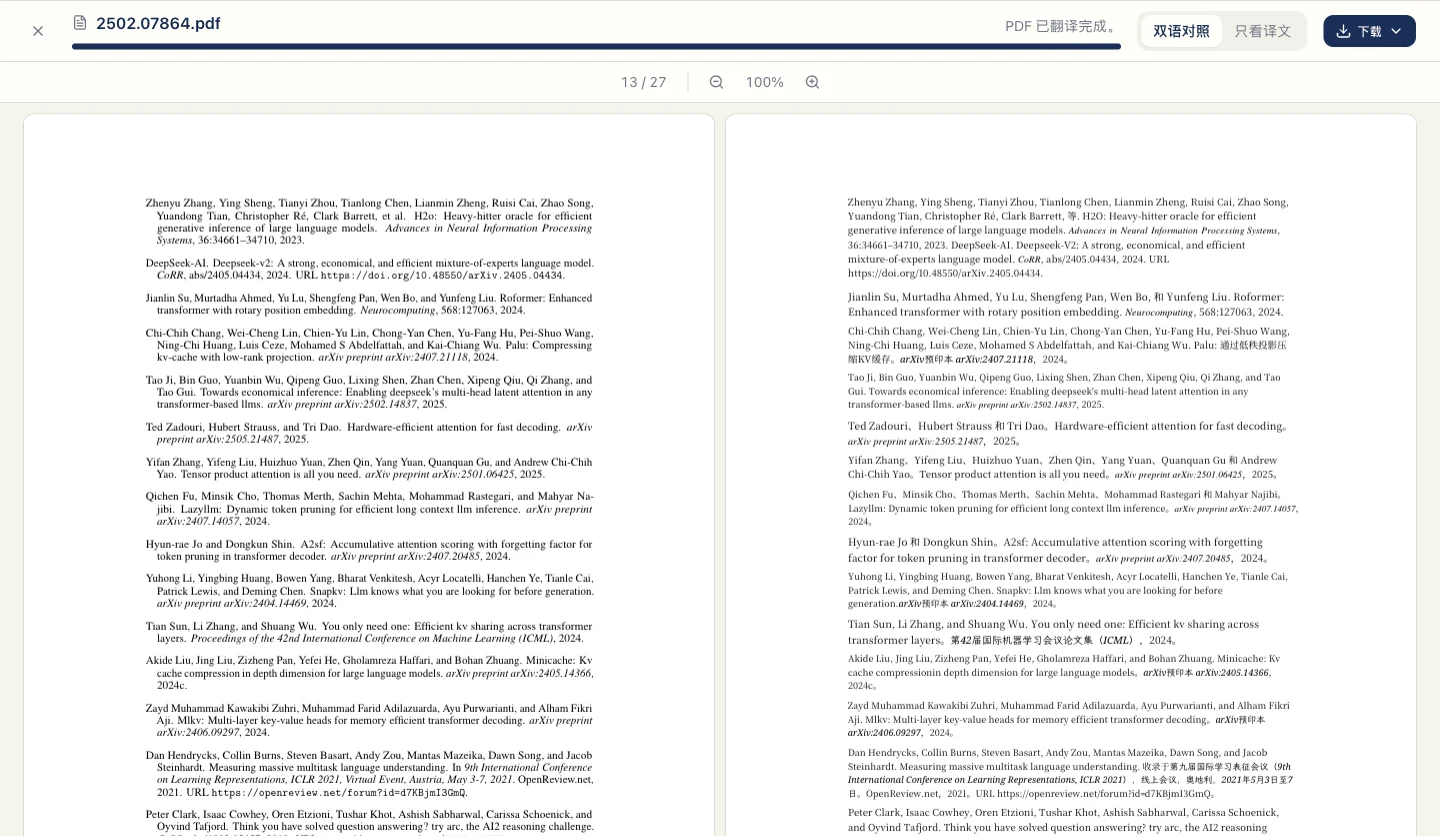
Reference sections packed into a single layout block are detected by bracketed citation markers—such as [1], [3, 4], or [Vas17]—and split into individual entries so every reference stays readable and aligned instead of merging into a wall of text.

TERMINOLOGY CONSISTENCY

Extracts domain terms across multi-page papers

Long papers drift when translated paragraph by paragraph in isolation. Palingo runs an automatic terminology extraction pass alongside translation across page groups so domain-specific concepts stay consistent from the introduction through the discussion.

STREAMING & MIXED OCR

Start reading in seconds, even on older scanned papers

The first two pages translate first so you can begin reading the abstract and introduction immediately while remaining pages stream in groups of eight. Image-only pages inside scanned or mixed PDFs automatically trigger per-page OCR while preserving formula and number paint order.

Translate arXiv, PubMed, and Google Scholar directly in Chrome

Pair the web PDF translator with the free desktop Chrome extension to read academic web pages and arXiv abstracts in one click.

  • arXiv & ar5iv

    arxiv.org · ar5iv.labs.arxiv.org

    Adds a Read bilingual button next to PDF and HTML links on arxiv.org/abs pages. Opens arXiv HTML (LaTeXML) or ar5iv with parallel translation, or falls back directly to Palingo's bilingual PDF reader.

  • PubMed & PMC

    pubmed.ncbi.nlm.nih.gov · pmc.ncbi.nlm.nih.gov

    Translates article titles, abstracts, and full-text PMC sections inline while keeping medical terms, author metadata, and citation numbers easy to verify.

  • Google Scholar

    scholar.google.com

    Translates search result titles and snippets on Google Scholar so you can screen literature faster without leaving the results page.

  • Connected Papers

    connectedpapers.com

    Translates paper titles and abstracts inside Connected Papers citation graphs while you map related work.

Strict academic DOM protection on web pages

On supported academic pages, the extension leaves MathML, MathJax, KaTeX, LaTeXML equations, code listings, LaTeXML tables, author blocks, inline citation links, and reference lists untouched—translating only titles, abstracts, and prose.

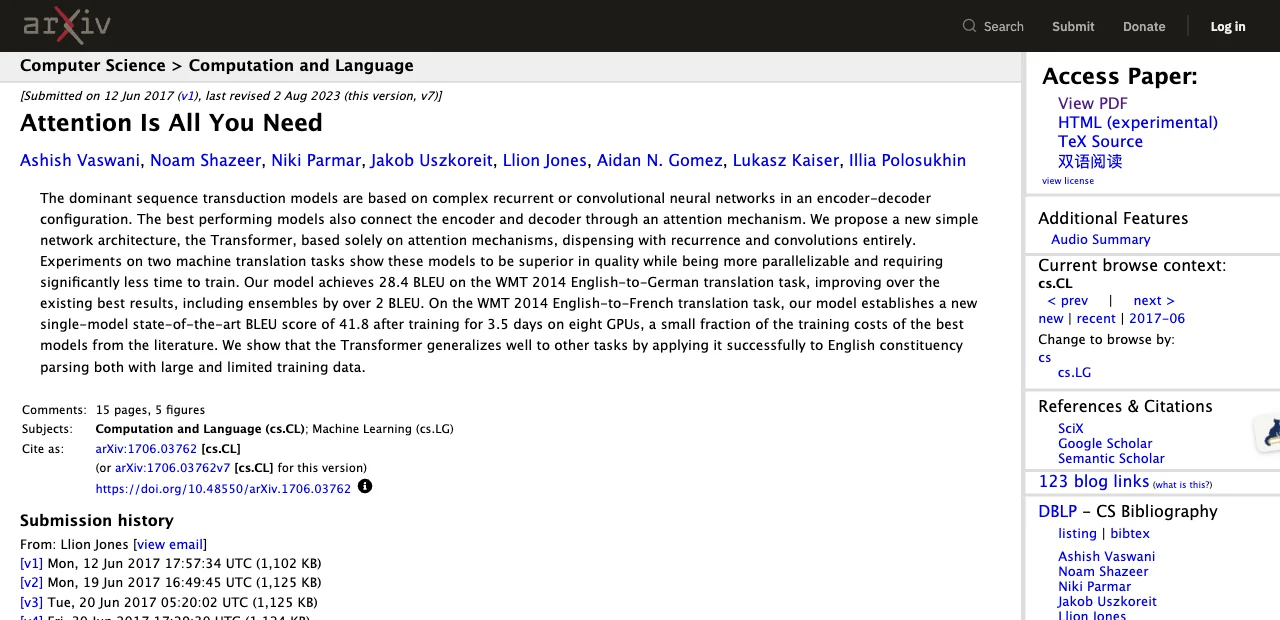
Real Chrome capture on arxiv.org/abs/1706.03762 (Attention Is All You Need): Palingo adds a one-click bilingual reading button beside View PDF and HTML.
Add Palingo for Chrome freeUpload academic PDFChrome extension for computer:Email me the link

How to translate an academic paper in three steps

Works in any desktop or mobile browser with no installation required.

  1. Upload your research paper PDF

    Drop any academic PDF up to 100 MB (from arXiv, IEEE, ACM, Springer, Nature, or a scanned archive) and pick your source and target languages.

  2. Read page by page beside the original

    Early pages appear as soon as they finish. Compare claims, equations, p-values, and tables directly against the original page, and double-click unfamiliar terms to look them up or save them to Anki.

  3. Download bilingual or translated-only PDF

    Sign in with a free account to continue past page 20 (up to 100 pages per PDF) and download a clean bilingual side-by-side PDF or translation-only PDF without watermarks within 24 hours.

Academic paper translation FAQ

Answers on formulas, two-column layouts, terminology, references, arXiv reading, and limits.

Does Palingo preserve mathematical formulas and LaTeX symbols in PDFs?

Yes. Palingo detects display and inline math regions, folds detached subscripts and fraction bars back into their formula unit so they do not overlap translated prose, and leaves pure numbers and scientific notation untouched. For critical equations, always verify exact indices directly in the side-by-side original column.

How does it handle two-column IEEE, ACM, or arXiv layouts?

The PDF pipeline uses document layout detection to separate left and right columns, headings, captions, tables, and footnotes before translation. It also widens narrow text boxes to prevent clipped margin characters and cleans stray inline markers that split footnote lines.

How does Palingo keep academic terminology consistent across a long paper?

During PDF translation, Palingo runs an automatic terminology extraction pass alongside the translation workers across page groups so domain terms stay consistent across sections. Because machine translation can still vary on rare phrases, the side-by-side view lets you check key terms immediately.

What happens to inline citations and the References section?

In PDFs, preserved Latin citations get restored word spacing (preventing glued text like Petersetal.), and bracketed bibliography entries ([1], [3, 4], [Vas17]) are split into separate lines for readability. On supported academic web pages (arXiv, PubMed, PMC), the Chrome extension leaves citation links and bibliographies completely untouched.

Can I translate arXiv or PubMed directly without downloading the PDF first?

Yes. With the free desktop Chrome extension, arxiv.org/abs pages show a Read bilingual button that opens arXiv HTML papers with math untouched or falls back to the bilingual PDF reader. You can also enable automatic opening of arXiv PDF links in Palingo, and translate PubMed, PMC, Google Scholar, and Connected Papers inline.

What are the free limits, supported languages, and privacy rules for unpublished papers?

PDF translation supports 5 source and 5 target languages (English, Chinese, Japanese, Korean, and Spanish), up to 100 MB per file. Guests can translate 10 PDFs per 24 hours and read the first 20 pages in the browser. A free account adds 3,000,000 credits every 30 days, translates up to 100 pages per PDF, and unlocks watermark-free downloads (Pro: 1,000 pages; Ultra: unlimited). Uploaded files are deleted after 24 hours. There is no built-in Zotero sync. For confidential manuscripts under review, check your journal or institution policy before uploading to any cloud translator.

Ready to read your next paper side by side?

Upload a research PDF up to 100 MB right now—no account required for the first 20 pages.